

A remote desktop server at home or in a club
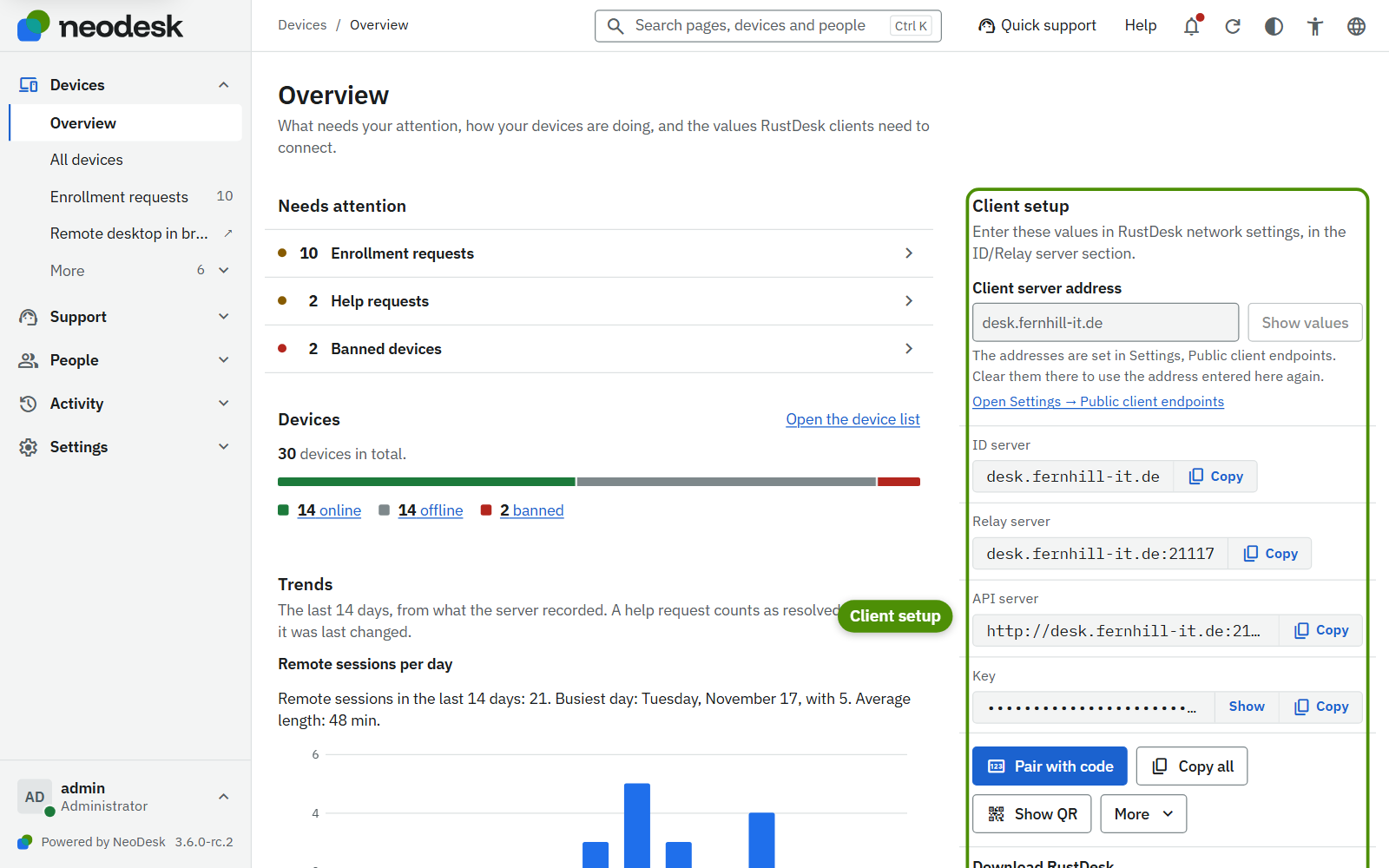
Copy as MarkdownYou help your parents with their laptop, or you look after the few computers of a club. NeoDesk gives you your own server for that, on a mini PC, a NAS or a small rented server. The computers you help connect to it, and you work from its web console or the RustDesk app. This page covers the setup, with a link to the docs for each step.
What you need
- A machine that runs Docker with Compose 2.24 or newer: a Linux box, a Synology NAS or a rented server. The install script installs Docker on Linux when it is missing.
- For computers outside your home network: a public address or a DNS name for the machine, and these ports forwarded to it on your router: 21115 to 21117 and 21121 over TCP, and 21116 over UDP. See Ports.
Install with Docker
On a Linux machine, one command installs everything:
curl -fsSL https://neode.sk/install.sh | sudo bashAt the end it prints the console's address, the admin password, and the four values RustDesk clients need. The admin password is shown only once, so copy it. Install with Docker explains every option.
On a Synology NAS
A Synology runs the same compose file in Container Manager. The console uses
ports 3375 and 5443, and DSM's own web interface listens on 5000 and 5001, so
they don't collide. If another package on the NAS has 3375, give the console
another port with NEODESK_CONSOLE_PORT in the .env file. To keep the data in a
shared folder instead of a Docker volume, set PUID and PGID to the owner
of that folder. Docker on a Synology NAS
has the files and the steps.
HTTPS with your own domain
The console listens on plain HTTP until you give it a certificate. The Docker install script can do that for you: with a DNS name that points at the server, it puts a small Traefik container in front of the console, which gets a certificate from Let's Encrypt and renews it by itself.
For a new install, give the name and an email address for Let's Encrypt's expiry notices:
curl -fsSL https://neode.sk/install.sh | sudo bash -s -- --domain <domain> --letsencrypt-email <email-address>Put your DNS name in place of <domain> and your email address in
place of <email-address>. For an install that runs already, run the script
in its folder with the same two values:
cd /opt/neodesk/docker
sudo bash neodesk-docker.sh --domain <domain> --email <email-address>
Put the same values in place of <domain> and <email-address>.
What changes:
- Ports 80 and 443 must reach the server and be free on it. The script stops when another program holds them, warns when the DNS name doesn't point at the server yet, and waits for the certificate.
- The console then answers at
https://and your DNS name. Its own port answers only on the machine itself. --letsencrypt-stagingtakes a test certificate from Let's Encrypt's staging server, which browsers don't trust.--no-traefikonneodesk-docker.shremoves Traefik again.
The RustDesk clients keep using their own ports. For a reverse proxy you run already, see Reverse proxy and TLS.
Bring the computers in
For a computer you help often, open Devices, choose Add a computer and send the invite link. The person installs NeoDesk's client from the link, and the computer shows up in your device list, already approved; see Add a computer.
For a one-off, send a quick support link instead. It works once for one hour, the person clicks Allow in a small app, and nothing gets installed.
For your phone, open Overview and click Show QR under Client setup. The RustDesk app on the phone scans the code and fills in the server settings.
Wake a computer at home
The server can wake a computer in its own network with Wake-on-LAN: open Support, Network tools, then Wake-on-LAN, and enter the computer's MAC address. The packet leaves from the server, so this works for computers in the same network as the server. See Unattended access and Wake-on-LAN.
Keep it running
Update with the same script, in its folder:
cd /opt/neodesk/docker
sudo bash neodesk-docker.sh update
It backs up the data first, and goes back to the old image when the new container doesn't get healthy. Back up the server's key files with the data: they are what your clients recognize the server by, and without them every client needs a new key. See Updating and Backup and restore.
What it costs
NeoDesk is free and open source under the AGPL-3.0. It sends no analytics, crash reports or usage data; Privacy lists the hosts the server contacts, such as GitHub for the client downloads. Help is free on the NeoDesk Discord and in the discussions on GitHub; paid help with a setup is available on request at support@neode.sk.